Dictation that never leaves your Mac.
Hold a key, speak, release — Murmur types it at your cursor in any app. Every word is transcribed on-device. Audio never leaves your Mac.
Apple Silicon · macOS 14 or later

Try it — hold the key (or your real ⌥ Option key), then release.
How it works
Hold. Speak. Release.
One key is the whole interface. No window to find, no record button — your words land wherever your cursor already is.
- 01
Hold
Press and hold your hotkey (⌥ Option by default).
- 02
Speak
Say what you want typed.
- 03
Release
The text appears at your cursor — in any app.
Features
Small app, sharp tool.
Truly on-device
Whisper runs locally on Apple Silicon. Your audio is held in memory for a single dictation — never written to disk or sent anywhere.
Works in every app
Notes, Slack, Mail, your editor, the browser — the text pastes at your cursor wherever you are.
Fast
From release to text in about a second, accelerated by Metal on your Mac's GPU.
Your words, spelled your way
A custom dictionary nails names, brands and tricky tokens like CLAUDE.md every time.
Speak any language
Multilingual models transcribe dozens of languages — or translate what you say straight into English.
Built for developers
Code mode turns spoken symbols and casing into syntax: “camel case user name” becomes userName.
The app
This is the whole app.
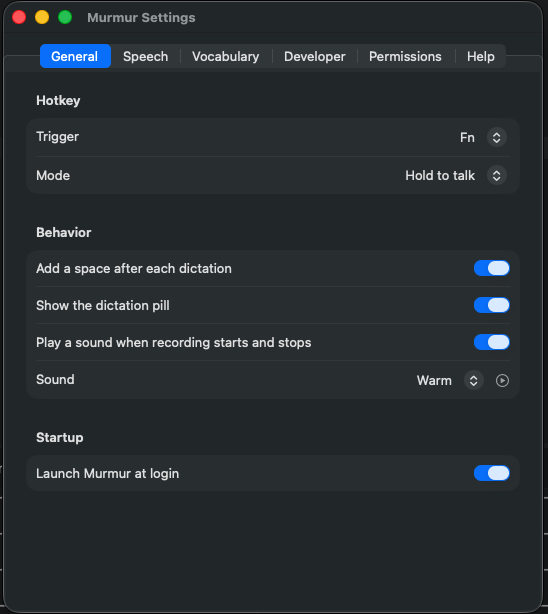
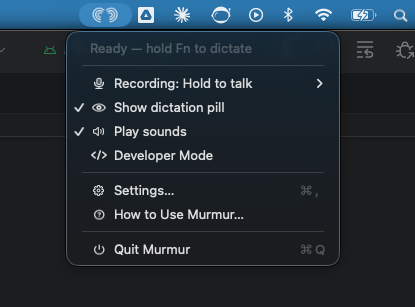
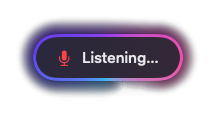
No window to manage, nothing to keep open. Murmur sits in your menu bar, shows a small pill while you speak, and keeps every setting in one place.
Privacy
Provably private — not “trust us” private.
Murmur is sandboxed and ships a privacy manifest declaring no data collection. There is no account, no telemetry, and no network call to transcribe — speech is processed entirely on your Mac.
Sandboxed
Runs inside the macOS App Sandbox.
No network transcription
Speech is processed entirely on your Mac — no call leaves it to transcribe.
No account, no telemetry
Nothing to sign up for, nothing phoning home.
Privacy manifest: no data collected
The app ships a manifest declaring no data collection.
Murmur is coming soon.
The notarized download is on its way. Check back shortly.
Apple Silicon · macOS 14 or later